
TEAM FORTRESS 2008 REVIVED
tf2 touhou.jpg
DOWNLOAD COMING SHORTLY..
Contains binaries for both Windows and Linux.
Run launch.bat or launch.sh, set a username, and connect.
That's it.
SERVER WILL BE HOSTED AT cy-x.net:27015
Open console with ~ and type: connect cy-x.net:27015
The server won't appear on the master server list.
Custom maps, saysounds, and QoL plugins. Vanilla gameplay.
The client uses Goldberg so there's no dependency on Valve or Steam. The archive is permanent and portable.
Linux note: Flamethrower particles are currently broken on the native Linux client. Wine/Proton is recommended until fixed.
Steam users: Drop tf_2008_revived into your sourcemods folder, switch SDK 2013 MP to the 'previous2021' branch, and restart Steam.
README.txt below:
=== TEAM FORTRESS 2008 REVIVED ===
STEAMLESS CLIENT
Version: 05-Apr-26
A preservation project bringing back the earliest
publicly-available build of Team Fortress 2.
Running on Source SDK 2013, liberated via Goldberg.
Permaserver: cy-x.net:27015 (alt: 45.90.12.43:27015)
To connect, open console (~) and type:
connect cy-x.net:27015
━━━━━━━━━━━━━━━━━━━━━━━━━━━━━━━━━━━━━━━━━━━━━━━━━━━━
=== INSTALLATION ===
[ METHOD 1 - STEAMLESS (RECOMMENDED) ]
1. Extract the archive anywhere you like.
2. Run launch.bat (Windows) or launch.sh (Linux).
3. Set your username on first launch and you're done.
Note: The Linux client has a known issue where
flamethrower particles do not render. Running the
Windows client through Wine or Proton is recommended
until this is resolved.
[ METHOD 2 - STEAM ]
(This assumes you're on Windows)
1. Move the 'tf_2008_revived' folder into your
sourcemods directory:
C:/Program Files (x86)/Steam/steamapps/sourcemods/
The folder must be inside the steamapps folder of
your active Steam installation.
2. In Steam, switch Source SDK 2013 Multiplayer to
the 'previous2021' branch:
Right-click > Properties > Betas
3. Fully restart Steam. 'Team Fortress 2008 Revived'
should appear in your library.
4. MacOS/Linux: add "-appid 243750 -steam" to the
game's launch options.
Note: The permaserver will NOT appear on the
masterlist regardless of which method you use.
Connect manually via console as shown above.
━━━━━━━━━━━━━━━━━━━━━━━━━━━━━━━━━━━━━━━━━━━━━━━━━━━━
=== LAUNCHER ===
launch.bat / launch.sh will ket you set a display username and randomize your local Steam ID automatically.
To change your avatar, replace the file at:
steam_settings/account_avatar.jpg
PNG, JPG, and JPEG are all supported.
━━━━━━━━━━━━━━━━━━━━━━━━━━━━━━━━━━━━━━━━━━━━━━━━━━━━
=== CUSTOM CONTENT ===
This is a very early TF2 build. Compatibility with
modern custom content is limited.
UNLIKELY TO WORK:
- Custom HUDs
- Maps made after ~2010 (missing assets, incompatible
game modes)
- Custom weapon/viewmodel replacements
- FPS configs. DO NOT USE FPS CONFIGS. Your game
will very likely crash. Chris' old configs may work
but are not guaranteed.
LIKELY TO WORK:
- Custom player models and skins (Texture Improvement
Project works fine)
- Custom player sounds
- Most texture mods
- Content made between 2007-2010
━━━━━━━━━━━━━━━━━━━━━━━━━━━━━━━━━━━━━━━━━━━━━━━━━━━━
=== SOURCEMOD ===
Mirror: https://drive.google.com/file/d/
1lEqDLZ1v6nGcbSsOdth6voRvxXPSgMx1/view
=== MIRRORS ===
https://histora.online/TZI4d8
and
https://cy-x.net/public/tf2/multigame.tar.gz
━━━━━━━━━━━━━━━━━━━━━━━━━━━━━━━━━━━━━━━━━━━━━━━━━━━━
=== SUPPORT ===
If something's broken, come find us. please be patient and clear about your issue, there aren't many of us.
A Linux server setup guide is in the works.
=== TEAM FORTRESS 2008 REVIVED ===
STEAMLESS CLIENT
Version: 05-Apr-26
A preservation project bringing back the earliest
publicly-available build of Team Fortress 2.
Running on Source SDK 2013, liberated via Goldberg.
Permaserver: cy-x.net:27015 (alt: 45.90.12.43:27015)
To connect, open console (~) and type:
connect cy-x.net:27015
━━━━━━━━━━━━━━━━━━━━━━━━━━━━━━━━━━━━━━━━━━━━━━━━━━━━
=== INSTALLATION ===
[ METHOD 1 - STEAMLESS (RECOMMENDED) ]
1. Extract the archive anywhere you like.
2. Run launch.bat (Windows) or launch.sh (Linux).
3. Set your username on first launch and you're done.
Note: The Linux client has a known issue where
flamethrower particles do not render. Running the
Windows client through Wine or Proton is recommended
until this is resolved.
[ METHOD 2 - STEAM ]
(This assumes you're on Windows)
1. Move the 'tf_2008_revived' folder into your
sourcemods directory:
C:/Program Files (x86)/Steam/steamapps/sourcemods/
The folder must be inside the steamapps folder of
your active Steam installation.
2. In Steam, switch Source SDK 2013 Multiplayer to
the 'previous2021' branch:
Right-click > Properties > Betas
3. Fully restart Steam. 'Team Fortress 2008 Revived'
should appear in your library.
4. MacOS/Linux: add "-appid 243750 -steam" to the
game's launch options.
Note: The permaserver will NOT appear on the
masterlist regardless of which method you use.
Connect manually via console as shown above.
━━━━━━━━━━━━━━━━━━━━━━━━━━━━━━━━━━━━━━━━━━━━━━━━━━━━
=== LAUNCHER ===
launch.bat / launch.sh will ket you set a display username and randomize your local Steam ID automatically.
To change your avatar, replace the file at:
steam_settings/account_avatar.jpg
PNG, JPG, and JPEG are all supported.
━━━━━━━━━━━━━━━━━━━━━━━━━━━━━━━━━━━━━━━━━━━━━━━━━━━━
=== CUSTOM CONTENT ===
This is a very early TF2 build. Compatibility with
modern custom content is limited.
UNLIKELY TO WORK:
- Custom HUDs
- Maps made after ~2010 (missing assets, incompatible
game modes)
- Custom weapon/viewmodel replacements
- FPS configs. DO NOT USE FPS CONFIGS. Your game
will very likely crash. Chris' old configs may work
but are not guaranteed.
LIKELY TO WORK:
- Custom player models and skins (Texture Improvement
Project works fine)
- Custom player sounds
- Most texture mods
- Content made between 2007-2010
━━━━━━━━━━━━━━━━━━━━━━━━━━━━━━━━━━━━━━━━━━━━━━━━━━━━
=== SOURCEMOD ===
Mirror: https://drive.google.com/file/d/
1lEqDLZ1v6nGcbSsOdth6voRvxXPSgMx1/view
=== MIRRORS ===
https://histora.online/TZI4d8
and
https://cy-x.net/public/tf2/multigame.tar.gz
━━━━━━━━━━━━━━━━━━━━━━━━━━━━━━━━━━━━━━━━━━━━━━━━━━━━
=== SUPPORT ===
If something's broken, come find us. please be patient and clear about your issue, there aren't many of us.
A Linux server setup guide is in the works.
thinkpad t400s
[US-TX]
I've never played tf2, but maybe I'll check this out later.
I just came here to say that I noticed a bug while playing. When you dominated me the domination text was white. when it is normally supposed to be black.
Replies:
>>12357
[SE]
[TOR]
Also Custom Folders DO WORK, just no custom huds unless from 2008? Sounds and textures work.
Replies:
>>12359
Customs In View
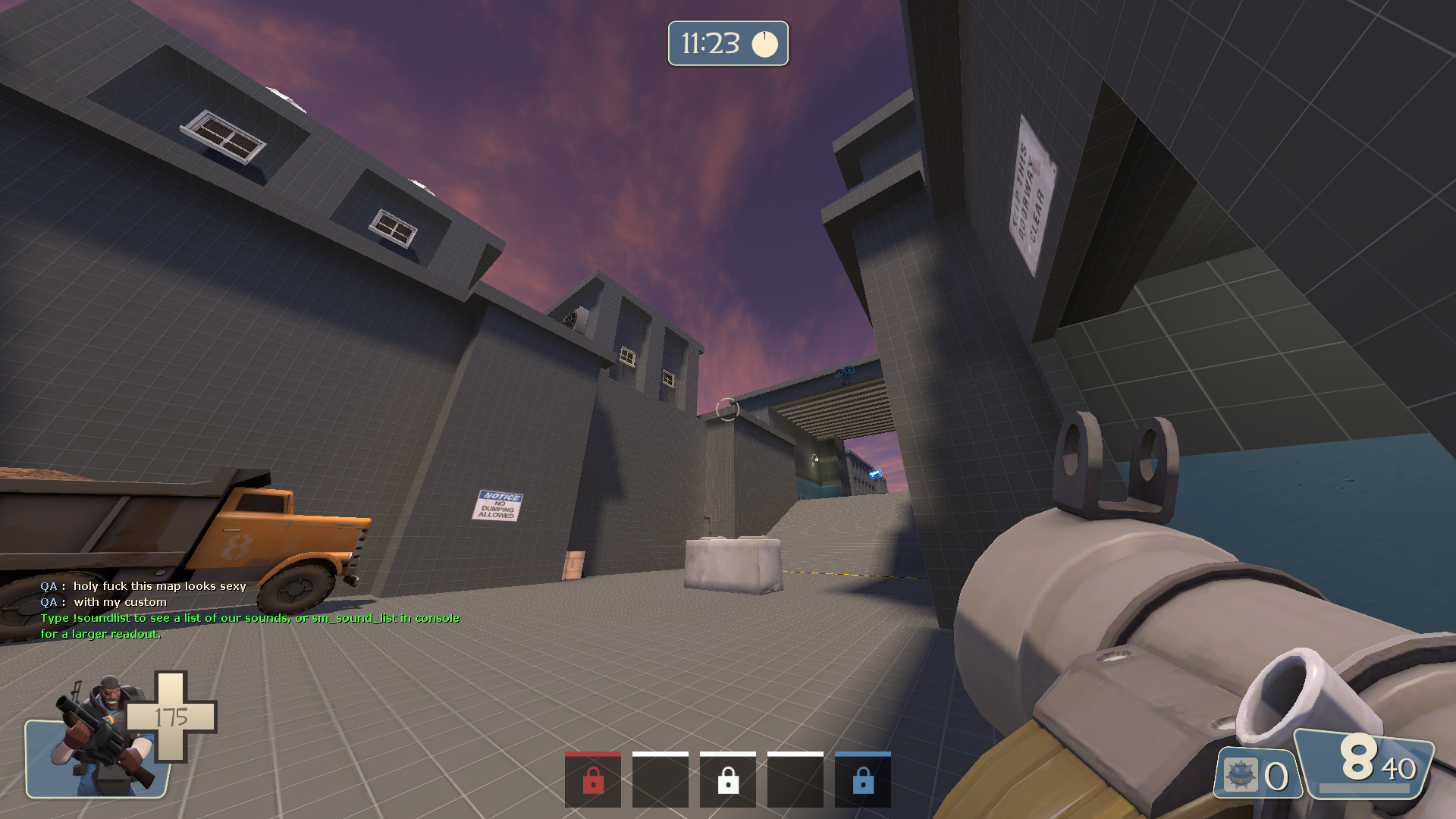
custom.png

Screenshot 2026-04-07 210629.png
Yes! I checked the TF2 wiki to see if I was just seeing things, but nope, the "is DOMINATING" text is in black.
[US-NY]
[TOR]
It was supposed to be set to 5PM Eastern Standard and will pretty much go on until 9-10PM
https://gamedate.org/s/3d3q6t6k3
[US-ID]
[VPN]
Anytime you want to play. Server is always online. Maybe next friday
>When's next game night?
Friday 5PM-9PM Eastern standard
https://gamedate.org/s/3v1m49707
Friday 5PM-9PM Eastern standard
https://gamedate.org/s/3v1m49707
Replies:
>>12469
[US-NH]
[VPN]
Am I retarded? It doesn't seem to work on my Linux machine. This is what I get when I try to run the shell script:
https://paste.sqt.wtf/0e694f
https://paste.sqt.wtf/0e694f
I'm no expert, but I'd try switching the renderer
Aw it's not feasible for me.. Also sucks that there is no player indicator on the site for tf
[RS]
You are missing dependencies. Ill grab a list of what you might need in a bit but if you are able to search it up yourself before then thatll be great
If all else fails, launch the Windows version with wine